Course Overview
Red Hat JBoss Application Administration I teaches you the best practices for installing and configuring Red Hat® JBoss® Enterprise Application Platform (JBoss EAP) 7. Through hands-on labs, learn the essential, real-world tasks that a system administrator needs to know to effectively deploy and manage applications on JBoss EAP.
Who should attend
System administrators who are either new to Red Hat JBoss or have experience with Red Hat JBoss Enterprise Application Platform 6
Prerequisites
- Base experience with system administration on Microsoft Windows, UNIX, or Linux® operating systems
- Understanding of hardware and networking
Note: No prior knowledge of Java, scripting, or JBoss Developer Studio is required.
Course Objectives
Impact on the organization
This course is intended to develop the skills needed to minimize time to market for applications, and to simplify administration tasks. These skills are suitable for organizations seeking to increase application stability and cut costs for managing applications.
Red Hat has created this course in a way intended to benefit our customers, but each company and infrastructure is unique, and actual results or benefits may vary.
Impact on the individual
As a result of attending this course, you should be able to manage JBoss EAP 7 in both standalone mode and a managed domain with both the EAP CLI and web console.
You should be able to demonstrate these skills:
- Install JBoss EAP 7 in standalone mode or as a managed domain.
- Configure the new batch subsystem.
- Administer the HornetQ messaging subsystem.
- Secure applications deployed on JBoss EAP.
- Customize server logging.
- Create and manage datasource connections to databases.
- Manage JBoss EAP clustering.
Detailed Course Outline
Overview of JBoss Enterprise Application Platform (JBoss EAP)
- Learn the concepts and terminology of JBoss EAP 7.
- Install and run a JBoss EAP instance.
- Understand extensions, profiles, and subsystems.
Configure JBoss EAP in standalone mode
- Run and configure JBoss EAP in standalone mode.
- Configure interfaces and socket binding groups.
Script configure and deploy applications
- Configure JBoss EAP with command line interface.
- Deploying applications in standalone mode.
Configure JBoss Enterprise Application Platform as a managed domain
- Run JBoss EAP as a managed domain.
- Assign a domain controller.
- Configure a host controller and domain controller.
Configure servers in a managed domain
- Manage domain server architecture.
- Configure servers and server groups.
Configure datasources
- Explore the datasource subsystem and configure JDBC drivers, datasources, and an XA datasource.
Configure the logging subsystem
- Configure loggers and logging handlers.
Configure the messaging subsystem
- Explore the messaging subsystem.
- Configure messaging resources, journals, and other settings.
Secure JBoss EAP
- Configure a database security realm, an LDAP security realm, and password vault.
- Secure a JMS Destination.
Configure the Java Virtual Machine (JVM)
- Configure the JVM in standalone mode and in a managed domain.
Configure the web subsystem
- Explore and configure the features of the web subsystem.
Deploy clustered applications
- Explore clustered applications.
- Configure subsystems that support clustered applications and configure load balancing.
- Deploy HA Singleton applications.
Configure the batch subsystem
- Explore and configure batch jobs and batch subsystem.
Discover new features in JBoss EAP 7
- Explore the new features in JBoss EAP 7.
- Migrate JBoss EAP 6 applications to JBoss EAP 7.
Comprehensive Review of Red Hat JBoss Application Administration I
- Review the tasks in Red Hat JBoss Application Administration I.
Course Content
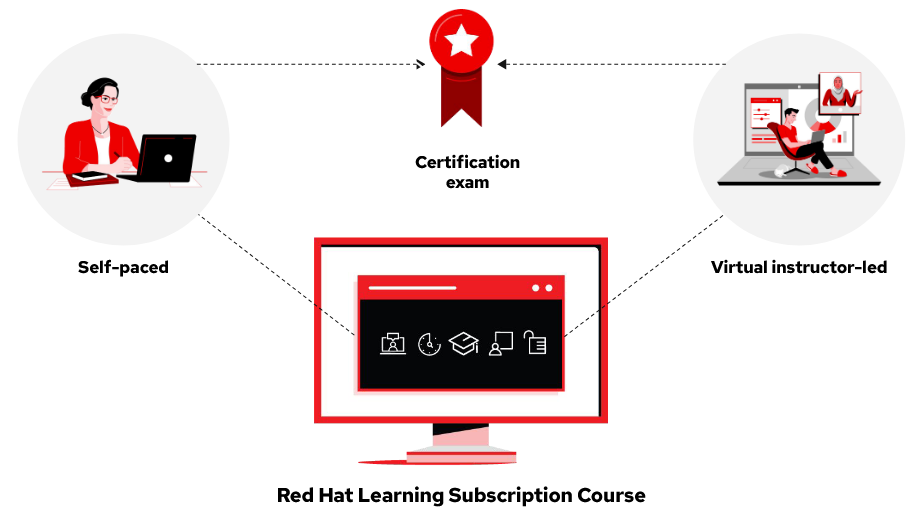
After completing this course, you should be prepared to take the Red Hat Certified Specialist in Enterprise Application Server Administration exam.
Course content summary
- Installing and run JBoss EAP 7 in standalone mode and domain mode
- Configuring a domain
- Deploying applications to JBoss EAP 7
- Configuring the datasource subsystem
- Configuring Java™ Message Service (JMS) and HornetQ
- Configuring the logging subsystem
- Configuring the web subsystem
- Implementing application security in JBoss EAP 7
- Configuring the batch subsystem
- An introduction to clustering